
⚠️ This post documents something that was initially unresolved and only got fixed later. I struggled with the direct-phone-connection approach and failed, and only much later realized the approach itself was wrong. Here I record, in order, both the failed process and the actual fix (
ait deploy).
I started the August vibe coding challenge. For upcoming real-device testing, I connected my MacBook to my Galaxy Flip4.
The app won’t launch — “A problem occurred while running the app”
When I ran the app on the phone, only this dialog showed up, and it failed.
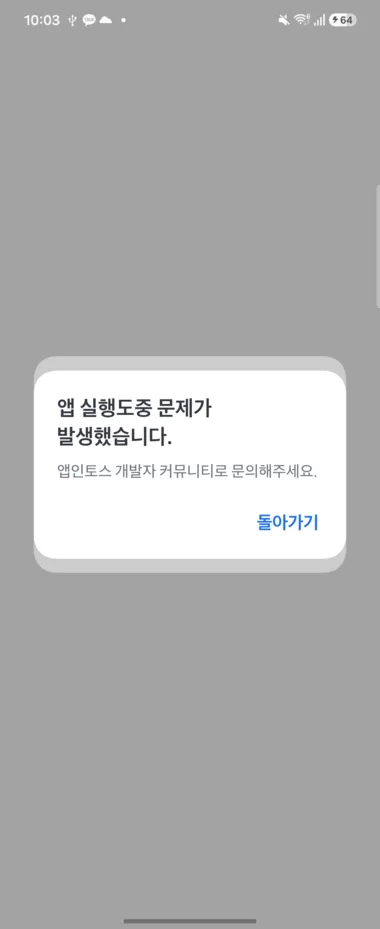
“A problem occurred while running the app. Please contact the App-in-Toss developer community.” — that’s all it says, with no indication of why.
What I tried — all failed
- Matched the same wifi environment and tried again. → Failed
- Dug into the logs and changed some TCP-related settings. → Failed
- Searched the App-in-Toss developer community for similar cases. → Found only question posts with the same symptom, no answers with a solution.
Up to this point, I was completely stuck. But the problem wasn’t the error itself — it was that the approach I was taking was wrong. (I only found this out later.)
Something surprising — Claude looked at the phone screen and operated the app
While I was stuck, I noticed something surprising during debugging. With the phone connected, Claude directly looked at the phone screen and operated the app to debug it.
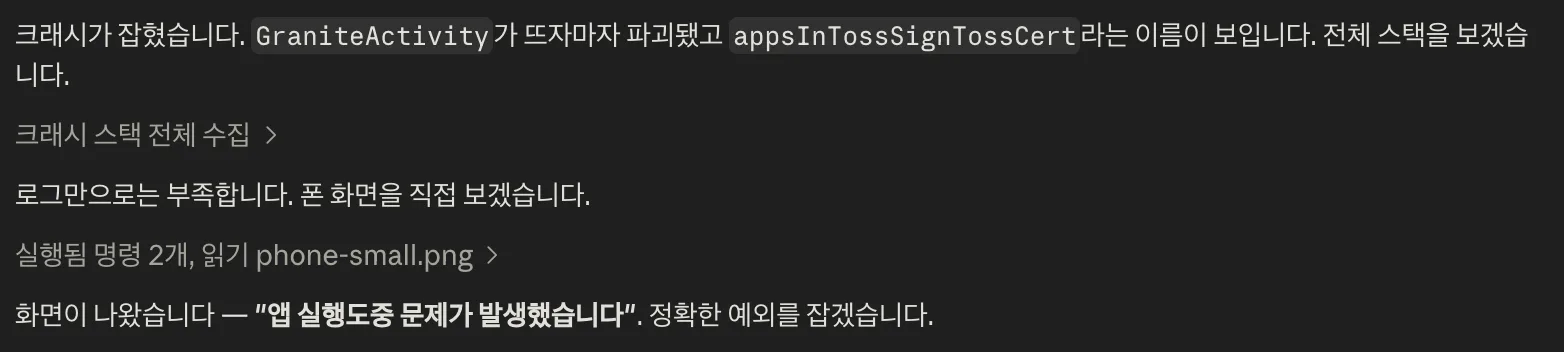
It collected crash stacks, said “logs alone aren’t enough,” captured the phone screen directly, and narrowed down the exception by turning the app on and off. It even pointed out that GraniteActivity was destroyed right after launching, and that a name called appsInTossSignTossCert appeared in the stack. But even so, it couldn’t solve it — because to begin with, launching the app directly on the phone wasn’t the testing method App-in-Toss intended.
The fix — the approach itself was wrong
The answer wasn’t in the direction I’d been struggling toward — it was running a single deploy command from the development environment.
npx ait deploy --api-key <issued_key>You get the API key from the App-in-Toss workspace. Put that key in place of <issued_key> and run it.
🔴 Never expose the API key in public repos, screenshots, or commits. If it leaks, rotate it immediately.
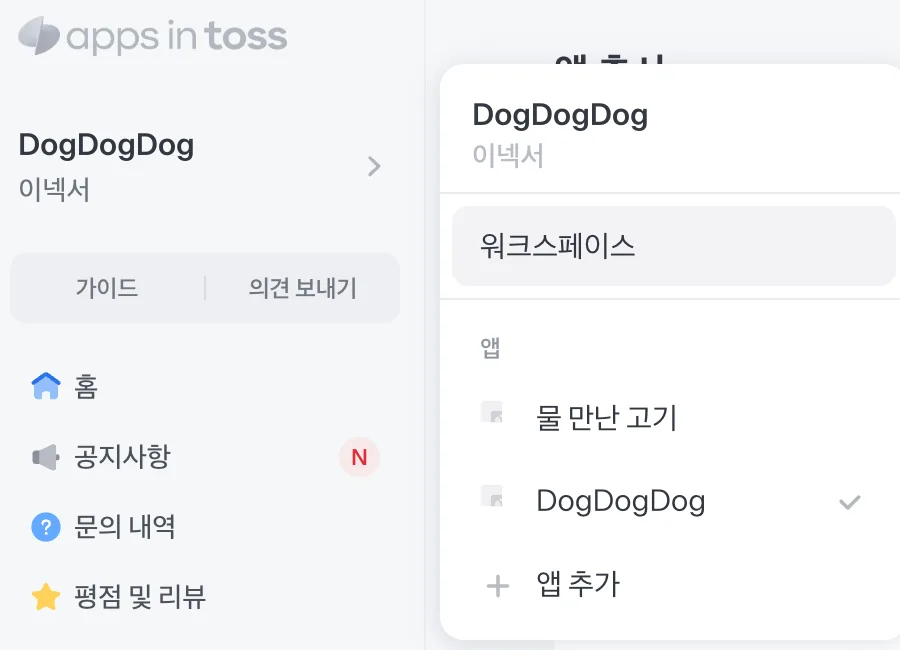
Once the deploy succeeds, a bundle gets created.

Now, pressing the [Test] button on this bundle and sending a push runs it on the real device. After days of struggling to launch it directly on the phone, following the intended deploy flow just worked.
What remains in the AI era — experience and problem definition
In the end, the answer was a single command. The days I spent stuck were exactly the cost of “lack of experience” — someone who knew this would have gotten there in 5 minutes. Struggling through this made one thing clear to me. In an era where AI does this much, what remains valuable for humans seems to be two things: experience and the ability to define the problem. (In a previous post I talked about “the sense of choosing rather than blindly accepting what AI gives you” — this is an extension of that.)
Experience
LLMs are plenty capable of solving something once it’s stuck. The problem is that time gets wasted going in the wrong direction. That’s exactly what happened today — Claude dug through logs, looked at the phone screen, did all sorts of things, but since the approach itself was wrong from the start, no amount of digging would have solved it. Someone who knows from experience that the right move is “deploy and send a test push,” not “launch it directly on the phone,” would have skipped these days entirely.
LLMs tend to try to solve the symptom right in front of them rather than picking the best approach from the start. So the judgment call of “in this situation, I need to change my approach” was still something a human had to make.
The ability to define the problem
Faced with the same problem, there’s a difference between someone who only describes the surface symptom and someone who questions the approach itself. If you get stuck on “the app won’t launch,” you’ll spend days digging through crash logs alone. If you get as far as “maybe the way I’m testing this is wrong to begin with,” you’ll go look for the official deployment flow. The latter gives more precise instructions to the LLM, and builds the muscle to change approach in similar situations going forward.
Ultimately, the more AI takes over execution, the more valuable it becomes to be the one deciding what to have it do — and whether the direction is even right in the first place.
Things to dig into further
- Why the direct phone connection crashed — I worked around the goal (real-device testing) using
ait deploy, but I still don’t know the actual cause ofGraniteActivitybeing destroyed immediately when launched directly on the phone. Need to check whether it’s tied toappsInTossSignTossCert(I suspect it’s related to the certificate signing step). (This is a guess and needs verification.) - What the
aitCLI actually does — the process by whichait deploybuilds and uploads a bundle. SDK version (3.0.1) and bundle versioning rules, and the difference between a review request and a test push. - How a test push reaches the real device — the path from pressing [Test] → push → running on the phone. This also connects to why this worked while the direct phone connection didn’t.
- API key management — the permission scope and expiration of keys issued from the workspace, and how to rotate them. How to pass them as environment variables when using them in CI.