
This post was not organized with the help of AI.
Background
- Moving the skills I’d built whenever I wanted to use them in an existing project or a new one was a hassle.
- While looking for a better way, I learned about plugins, so I decided to register a plugin and apply it to an existing project.
Claude Plugins
- A plugin is a unit for installing things like skills, agents, and hooks bundled together.
- When you install a plugin, the skills and agents inside it all come in at once.
- Skills and agents can be used without a plugin, but if you want to bundle several together to share with teammates, install them across multiple projects, or version and distribute them, a plugin is more convenient.
- A skill I used to call with
/hi-dev-plannow gets called like/hi-dev-pipeline:hi-dev-plan. - The reviewer agent can now be called as
hi-dev-pipeline:reviewer.
From Skill to Plugin
- I set out to turn things I’d implemented as skills into a plugin.
- Details on the previous implementation: https://parkhyo.in/posts/claude-skills/
- Since the script paths needed to change, I had to fix every path that had been written relative to the project.
- The overall process went as follows:
- Change the folder structure
- Write the plugin manifest (plugin.json)
- Fix script paths
- Fix agent names
- Test on my computer (without installing)
- Write the marketplace file and install locally
- Fix the README
Changing the Folder Structure
hi-dev-pipeline/
├── .claude-plugin/
│   └── plugin.json          ← written in step 2
├── skills/
│   ├── hi-dev-plan/         ← moved from skills-src
│   ├── hi-dev-mockup/
│   ├── hi-dev-impl/
│   └── hi-dev-audit/
├── agents/
│   └── (seven agents)
├── skills-src/
│   └── drafts/              ← kept as-is (not included in the plugin)
└── README.md- To apply the plugin, I gathered everything used in the pipeline into one place.
- Since hi-dev-plan was developed directly in Claude during the last implementation, there was no skill folder for it, but I had the content backed up separately.
Writing the Plugin Manifest
- I created a plugin.json file inside the .claude-plugin folder with the following content:
{
  "name": "hi-dev-pipeline",
  "version": "0.1.0",
  "description": "설계, 목업(랄프 루프), 서브에이전트 오케스트레이션 구현, 전체 보안 점검까지 이어지는 개발 파이프라인",
  "author": {
    "name": "dpcivl"
  },
  "repository": "https://github.com/dpcivl/hi-dev-pipeline",
  "license": "MIT",
  "keywords": ["pipeline", "ralph-loop", "orchestration", "subagents", "security"]
}
Fixing Script Paths
- Once a plugin is installed, it gets copied to a path like .claude/plugin/…
- But the things I’d previously implemented pointed to different paths, so these had to be fixed.
- In my case, I fixed the executable, the Ralph loop script, and the mockup-related SKILL.md.
Fixing Agent and Skill Names
- Since the agent and skill names also changed when applying the plugin, I updated the SKILL.md contents for hi-dev-impl and hi-dev-audit.
Testing on My Computer
- I ran a plugin validation check like this:

- After confirming the plugin passed validation, I created a folder for testing the plugin.
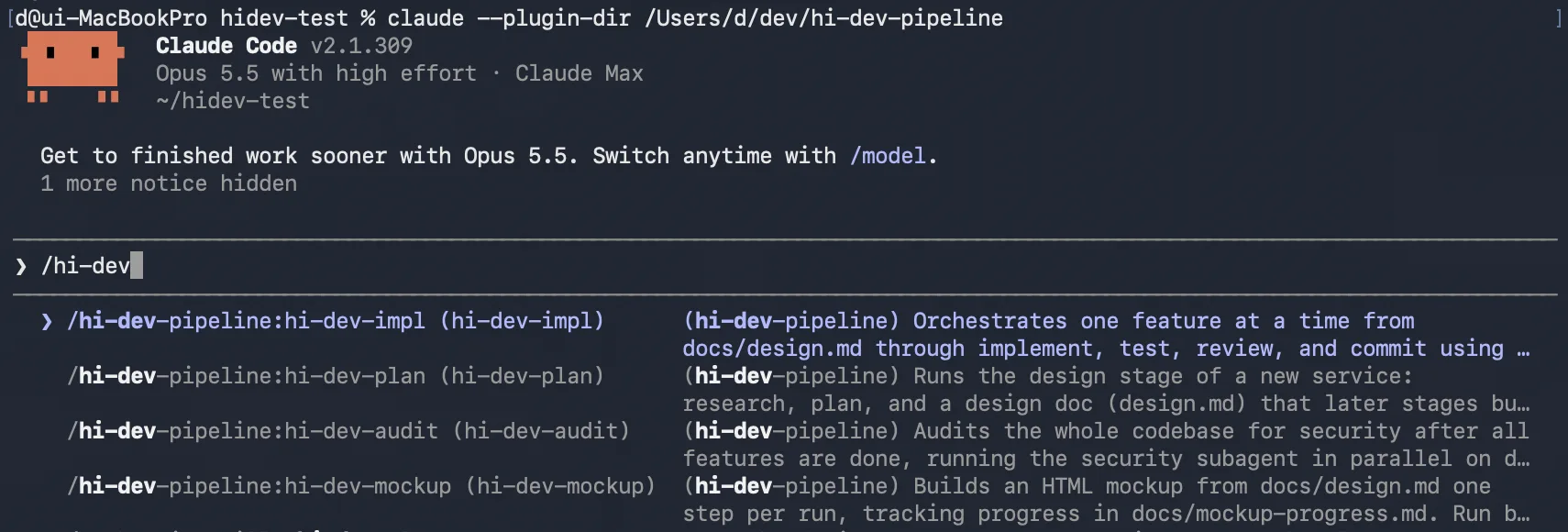
- I tested the plugin’s behavior with the following command:
claude --plugin-dir /Users/d/dev/hi-dev-pipeline- I confirmed that it loaded correctly, as shown below:
Writing a Marketplace File and Installing Locally
- I created a marketplace.json file inside the .claude-plugin folder.
- Calling it a “marketplace” doesn’t mean it’s publicly available — it just allows anyone with access to install the plugin.
{
  "name": "hi-dev",
  "description": "dpcivl의 hi-dev 개발 파이프라인 플러그인",
  "owner": {
    "name": "dpcivl"
  },
  "plugins": [
    {
      "name": "hi-dev-pipeline",
      "source": "./",
      "description": "설계, 목업(랄프 루프), 서브에이전트 오케스트레이션 구현, 전체 보안 점검까지 이어지는 개발 파이프라인"
    }
  ]
}- This sets things up so that the “hi-dev-pipeline” plugin can be installed from a marketplace called “hi-dev.”
- Running the commands below installs it on my computer, not on a per-project basis:
claude plugin marketplace add ./
claude plugin install hi-dev-pipeline@hi-dev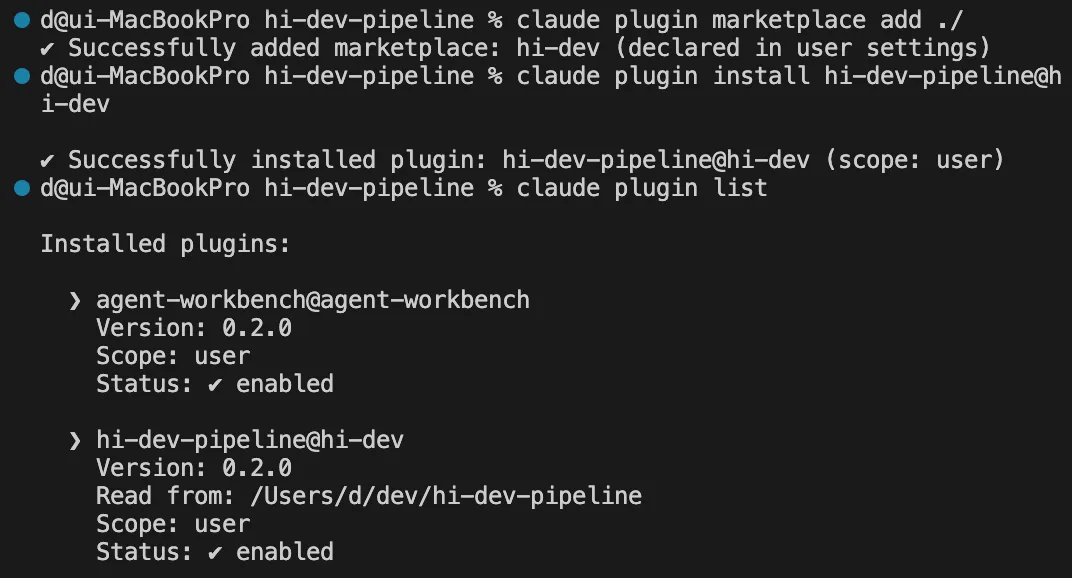
- I didn’t get around to installing it from GitHub.
- Since the pipeline is still in development, I plan to try installing from GitHub once it stabilizes.
Fixing the README
- I updated the README file with installation and usage instructions.
Results
- Now that the plugin is installed, I can immediately use the pipeline and agents I built previously in other projects as well.
- However, I’m not currently installing from GitHub — it’s reading settings from a local folder — so once the current approach stabilizes, I need to switch to installing from GitHub.
What I Learned
- Why I used
git mvinstead ofmv- With plain
mv, only the file gets moved, and you have to separately tell git about the move; withgit mv, git records it automatically.
- With plain