
I reinstalled STM32CubeIDE after a long break to start an autonomous driving side project. I opened the IDE and picked a development board from the board selector, just like I remembered doing before, but no .ioc file was generated. It was the same flow I remembered, but something felt off.
I looked into it, and it turns out the whole STM32 ecosystem had changed.
Table of contents
Open Table of contents
Cause — CubeMX Was Split Off Starting with STM32CubeIDE 2.0.0
Starting with STM32CubeIDE 2.0.0, the CubeMX functionality was split back into a separate tool. So if you only have CubeIDE installed, picking a board in the GUI won’t let you do the initialization configuration work (i.e., generating and editing the .ioc file). You need to either install STM32CubeMX separately, or add the CubeMX plugin inside CubeIDE separately.
The Two Tools Actually Have Different Roles
| Tool | Role | Stage covered |
|---|---|---|
| STM32CubeMX | Hardware configuration tool — select the chip/board, configure peripherals like clock / GPIO / UART through a GUI, and generate the corresponding initialization code | Project setup stage |
| STM32CubeIDE | Development environment — write the actual application code, compile, debug, flash | Coding / build / debug stage |
They were originally separate tools, then got merged at one point for convenience. So I had assumed the all-in-one setup was the default.
Why They Were Split Again
ST’s stated reasoning goes roughly like this.
- The integrated form was eating into CubeIDE’s resources (memory, execution speed), so the actual efficiency gained from integration was declining.
- Users wanted better debugging features and support for external editors like VS Code more than they wanted integration.
This direction makes sense. The actual workflow of many embedded developers is: “generate the initialization code once with Cube, then do the rest of the work in a familiar editor like VS Code or CLion.” If that’s the case, it’s natural for CubeIDE itself to move toward being a lightweight build/debug tool rather than a heavy all-in-one package.
While installing this time, I saw a STM32CubeIDE for VS Code extension option, which lines up with this direction toward separation. I’m planning to try out the VS Code integration environment at some point too.
Aside — When the Project Explorer Disappears
After generating the initialization code in CubeMX and opening the project folder, I ran into a situation where the Project Explorer panel wasn’t showing on the left side of the IDE.
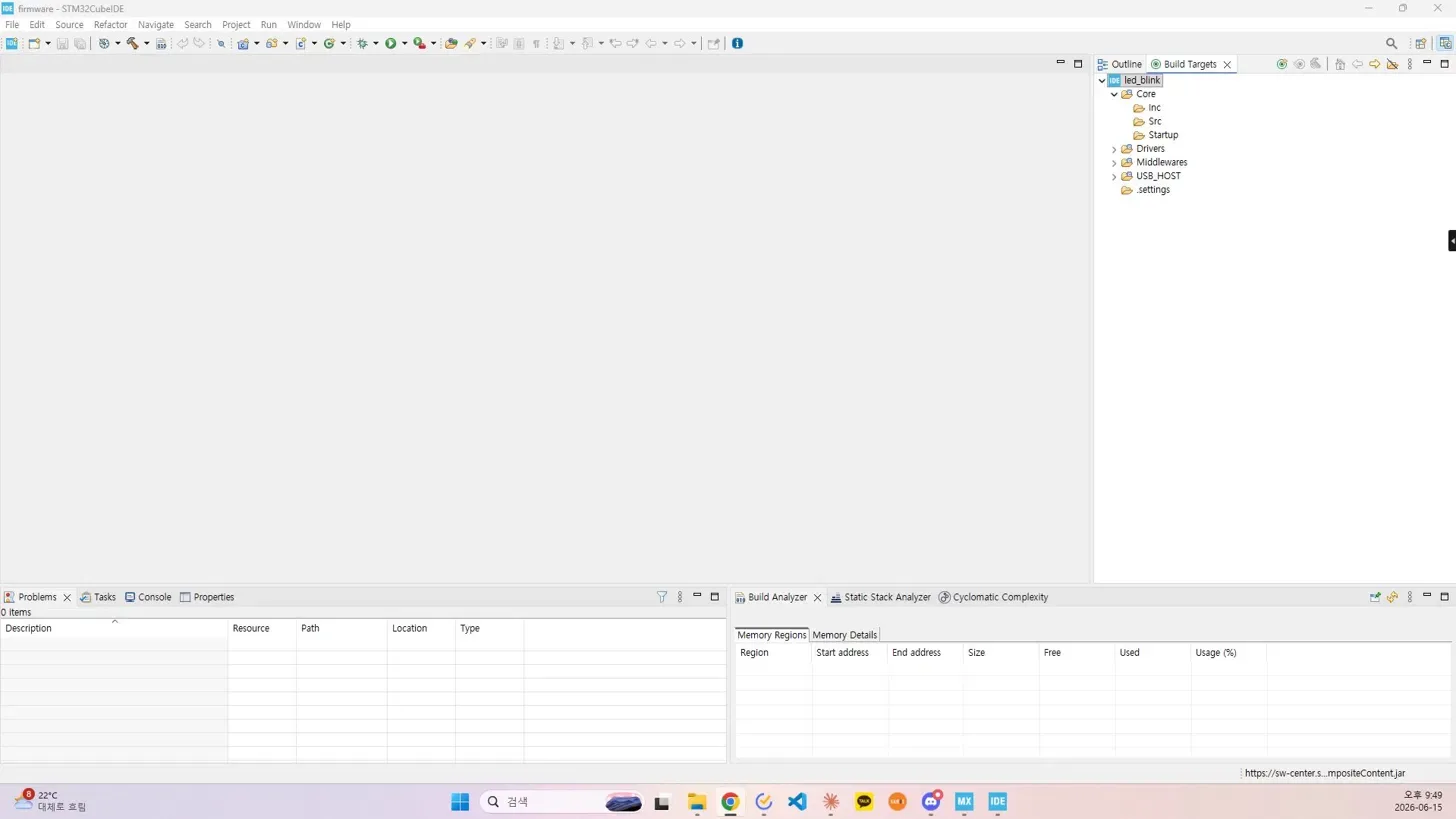
Fix: click Window → Perspective → Reset Perspective to bring the Project Explorer back. This is a common recovery method for when the perspective (a workspace layout preset) of an Eclipse-based IDE somehow gets messed up.
Things to Study Further
1. The STM32CubeIDE for VS Code Flow
- Walk through how the CubeMX initialization → VS Code build/debug flow actually works in the separated environment
- Verify how smoothly debugger connection, ST-Link setup, and breakpoint usage work in VS Code
- Reference: Official STM32CubeIDE for VS Code guide
2. HAL vs LL Drivers
- The code CubeMX generates is usually HAL-based. LL (Low-Layer) is also an option
- Which one to use when, and whether the two can be mixed
- For timing-sensitive work like autonomous driving, LL may be worth considering
3. The Eclipse Perspective Concept
- Since CubeIDE is Eclipse-based, it has the concepts of “Perspective” / “View”
- Besides Reset Perspective, commonly used perspectives include C/C++ and Debug
- Getting familiar with this means I won’t panic if the IDE layout breaks again
4. Next Steps for the Autonomous Driving Side Project
- Board selection (Nucleo / Discovery / custom board, etc.) — depends on which sensors and motors I’ll attach
- Also consider an initial simulation environment (CARLA, Gazebo, etc.)
- Whether to go embedded-only, or combine a Linux SBC (Raspberry Pi) with STM32
Reflection
Coming back to the embedded toolchain after a while, I can feel that the ecosystem has gone through a full cycle. The pattern of going from integration → separation → external editor support shows up often in other fields too (ML frameworks, web build tools, etc.), and I should file this away as a general lesson: “all-in-one isn’t always better.” That way, I’ll be less caught off guard the next time I run into a similar change.